




Why Does a High-Speed Door Keep Opening or Refuse to Close? Sensor Troubleshooting Guide
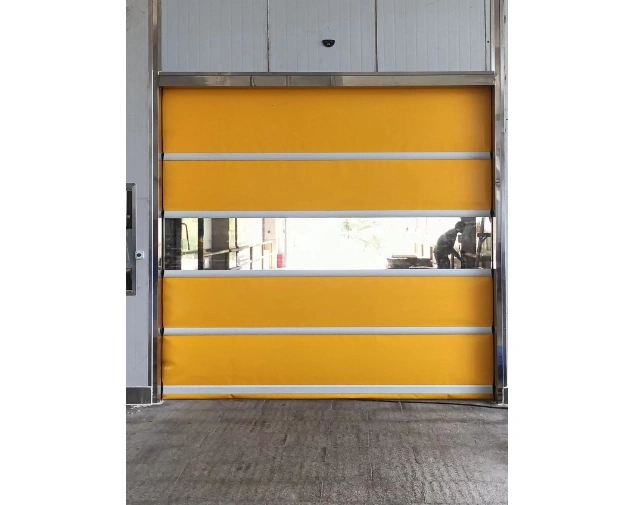
High speed door troubleshooting should start with the exact symptom, not with replacing the motor or control box. A door that keeps reopening often points toward an unwanted activation signal, while a door that opens normally but refuses to close can be reacting to a safety input that still reads the passage as occupied.
That distinction saves time. A high speed door sensor may be working normally while the detection area, alignment, or site traffic has changed. Watch one complete cycle: what triggers opening, what happens during closing, and which device is active.
Key Takeaways
-
Repeated opening can occur when a radar detection zone includes the moving curtain or unrelated traffic.
-
If the door won’t close, check safety photoelectric alignment and obstructions before changing drive components.
-
A door that begins closing and immediately reverses should be checked for active safety inputs.
-
Button, radar, geomagnetic, and remote inputs should be tested separately.
-
Never bypass a safety device as a permanent repair.
Start With the Symptom Before Replacing Parts
Good high speed door troubleshooting separates activation problems, safety problems, and travel-position problems. They can look similar from across the warehouse, but they belong to different parts of the control chain.
| Symptom | First area to check |
| Keeps opening and closing | Radar detection zone and activation signal |
| Opens but the door won’t close | Safety photoelectric signal |
| Starts closing, then reverses | Photoelectric, light curtain, or bottom safety input |
| Opens with no intended traffic | Radar range, sensitivity, nearby movement |
| Works from the button but not radar | Automatic activation input |
| Stops at the wrong position | Encoder or position control |
A GUDESEN rapid door can combine a servo motor, control box, encoder, push button, safety photoelectric protection, and optional activation devices. Review the high speed door range to identify the installed structure and control options.
Record one complete faulty cycle before changing several settings. That preserves useful evidence for maintenance or remote support.
Why Does a High-Speed Door Keep Opening and Closing?
A common cause is the radar detection area being set too close to the door curtain. As the curtain moves, the radar door sensor can detect movement inside its own field and send another opening command.
The sequence can look like a controller fault: traffic triggers opening, the route clears, closing begins, and a fresh signal tells the door to rise again. If that repeats, inspect the radar door sensor first.
Check the Radar Detection Area
Watch what moves inside the sensor field. It should cover approaching traffic without unnecessarily including the curtain, a parallel aisle, or nearby machinery.
Radar sensitivity and detection distance can be adjusted. The right setting depends on the site. A long forklift approach needs enough distance for the door to open before the vehicle arrives. A compact packing aisle may need a tighter field so nearby movement does not keep activating the door.
Do not reduce the range blindly. The goal is a field that recognizes intended traffic early enough without reading unrelated movement.
For standard PVC rapid-door specifications and control options, review the Porte haute vitesse PVC. If the symptoms continue after basic sensor checks, keep the original settings documented so they can be restored if needed.
Why Does the Door Open but Refuse to Close?
When the door won’t close after reaching the open position, check the safety photoelectric path early in the process. A through-beam device normally prevents the door from descending when a person, vehicle, pallet, or other object blocks the signal.
Misalignment can create the same effect. If the transmitter and receiver are no longer aligned, the controller can treat the condition as an occupied opening.
Check the Photoelectric Sensor Before the Motor
Inspect both sides of the photoelectric sensor. Confirm that the units face each other correctly and that the beam path is clear.
Look for a pallet near the guide, packaging film across the beam, dust on the sensing surface, or a bracket shifted after contact with equipment.
If the door won’t close because the safety signal is interrupted, realign or clear the sensing path and test again. Do not bypass the safety input simply to force a closing cycle. A high speed door that moves only after protection is disabled has not been repaired.
Why Does the Door Start Closing and Immediately Reverse?
This symptom is different from a door that never starts down. If the curtain begins to descend and then returns upward, look for a safety input that becomes active during the closing movement.
Depending on the door configuration, that input may come from a photoelectric sensor, a safety light curtain, or a bottom safety device. Each system covers the opening differently.
A standard safety photoelectric device works across a defined beam. A safety light curtain uses multiple sensing points over a larger vertical area. GUDESEN light-curtain configurations can extend to about 1.8 m.
That difference matters with irregular loads or off-center traffic. High speed door troubleshooting should confirm which safety devices are installed before drawing conclusions.
Why Does the Door Open When Nobody Is Entering?
A high speed door sensor cannot distinguish useful movement from unwanted movement unless its technology and settings are suited to the route.
A radar field that extends into a nearby aisle may react to pedestrians walking past the opening. Cross-traffic forklifts may also enter the detection zone without turning through the doorway. In a compact production area, moving equipment can create another source of activation.
The radar angle, range, or sensitivity may need adjustment. Vehicle-dominant routes may suit geomagnetic induction, while pedestrian-heavy areas may work better with correctly positioned radar or push-button control.
Testing an empty doorway can miss the traffic pattern that causes the fault.
Button Works but the Automatic Sensor Does Not: What Does That Tell You?
Testing one input at a time is one of the fastest ways to narrow a fault.
If the wall button opens the door but the automatic sensor does not, the result suggests checking the activation side before assuming the entire movement system has failed. It doesn’t prove every drive component is healthy, but it separates one useful part of the diagnosis.
A practical sequence is:
-
Test the wall button.
-
Test the radar input.
-
Test remote or geomagnetic activation if installed.
-
Confirm the safety circuit is clear.
-
Observe the control status during each command.
A high speed door sensor that never creates a recognized input may have a positioning, wiring, power, or device problem. Repeated inputs may point to an overly broad configuration.
For teams planning common replacement items, the Liste de contrôle des pièces de rechange pour portes rapides à destination des équipes de maintenance d'entrepôt can be used to organize sensors, controls, curtain parts, and model-specific components before an emergency call.
When Should the Encoder or Position Control Be Checked?
Not every abnormal cycle is a sensor fault. If the door consistently stops too high, too low, or at the wrong point in the travel, the encoder and position-control side deserve attention.
GUDESEN rapid-door systems use encoder-based position control with servo drive configurations. The encoder helps the controller manage door travel and stopping position. A position problem therefore looks different from a false radar trigger.
Use the symptom to separate them. Unexpected opening commands suggest activation inputs; refusal to close points toward safety logic; incorrect stopping positions justify checking position feedback.
If a curtain has been knocked out of a guide, also inspect the mechanical structure before treating the event as an encoder problem. For collision-prone routes, a Porte rapide d'auto-récupération uses a zipper-type track arrangement that can return the curtain to the guide during the next opening cycle after some derailment events.
A Five-Minute Traffic Check Can Find What an Empty-Aisle Test Misses
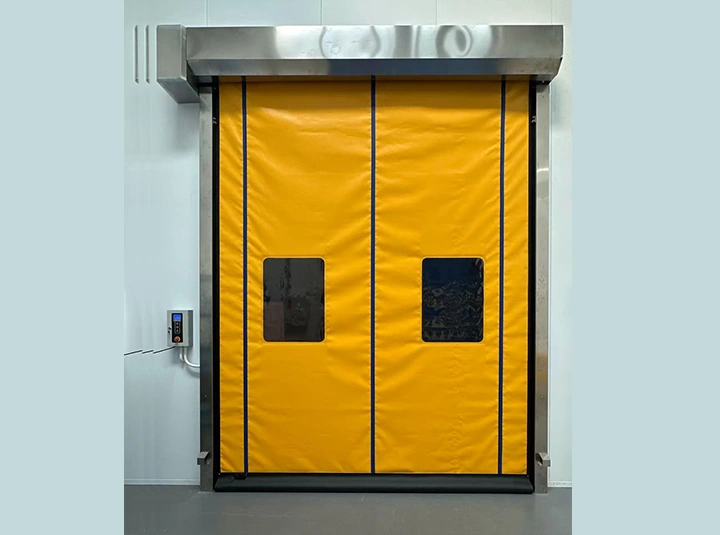
Many sensor complaints only appear when the warehouse is working normally.
Watch the opening during a real traffic period. Does a forklift reverse near the radar before turning away? Do workers pack cartons beside the door? Are pallets temporarily staged across the photoelectric beam? Does a trolley stop in the closing zone while another vehicle has already cleared the opening?
These details change the diagnosis.
A US factory project used a sealed rapid door because the passage needed to close promptly after pedestrian movement while supporting a cleaner, more controlled interior. In a route like that, sensor placement and closing behavior are part of the operating result. The door can’t be judged only by whether the motor runs.
Good high speed door troubleshooting therefore includes the site, not only the equipment.
High Speed Door Troubleshooting Checklist for Maintenance Teams
Before replacing parts, check the items that can be observed safely without dismantling the drive system:
-
radar position, range, and sensitivity;
-
photoelectric sensor alignment and cleanliness;
-
pallets, film, cables, or stored goods in the beam path;
-
light curtain or bottom safety input, if installed;
-
guide rail condition and visible impact damage;
-
curtain position inside the guides;
-
push buttons, remote controls, and other activation devices;
-
encoder-related position symptoms;
-
control display messages or fault indications;
-
unusual noise, vibration, or stopping behavior.
Change one thing at a time and retest. If several settings are changed together, the maintenance team may solve the symptom without knowing which change mattered.
When Should Troubleshooting Stop and Technical Support Begin?
Stop basic high speed door troubleshooting when the fault moves beyond a clear sensor adjustment or visible obstruction.
Technical support is appropriate when the motor or brake makes abnormal noise, the guide structure is damaged, the encoder cannot maintain the correct travel position, safety devices fail repeated tests, wiring faults are suspected, or the door has suffered a significant vehicle impact.
It is also time to stop when the only way to make the system operate is to bypass a safety function.
Before requesting help, prepare the door model, opening size, motor/control configuration, activation method, exact symptom, any displayed fault information, and a short video. That information is far more useful than “the door is broken.”
Conclusion
High speed door troubleshooting becomes much faster when the symptom is treated as a clue. A door that repeatedly reopens may be reacting to a radar door sensor that sees the moving curtain or unrelated traffic. If the door won’t close, a blocked or misaligned photoelectric sensor is an early check. If the door stops at the wrong position, the encoder and travel-control side become more relevant.
The safe sequence is simple: observe one complete cycle, identify the active input, check obvious alignment or obstruction issues, and test activation devices separately. Avoid changing several parameters at once, and never disable a protective device as the final fix.
For faults that remain unresolved, send the door model, size, control method, symptom, and operating video to request technical guidance for the installed door. A precise fault description helps the support team narrow the cause before parts are shipped or replaced.
Questions fréquentes
Q1: Why does my high-speed door keep opening by itself?
A1: Check the radar detection zone first. If the radar door sensor sees the moving curtain, parallel traffic, or nearby equipment, it can generate an unintended opening command. Range, angle, and sensitivity should match the actual approach path.
Q2: What should I check first when the door won’t close?
A2: Check the safety photoelectric sensor path for an obstruction, contamination, or misalignment. A controller may prevent closing when the safety beam does not read the opening as clear.
Q3: Can I bypass a sensor to confirm that it is causing the problem?
A3: Do not use a bypass as a normal operating fix. Safety sensors are part of the closing protection system. If troubleshooting requires electrical bypassing or controller changes, stop and use qualified technical support.
Précédent : Aucun
Suivant : PVC Strip Curtains vs High-Speed Doors: Which Is Better for Busy Warehouse Openings?